

Complete Hyper-V Data Recovery Services
Microsoft’s Hyper-V technology enables businesses to create and manage multiple virtual machines on a single Windows server, maximizing efficiency and hardware usage. Despite its capabilities, a Hyper-V setup is still vulnerable to issues that can impact data integrity and access, from virtual machine failures to host server errors. At PITS Data Recovery, we specialize in Hyper-V recovery solutions designed to restore your data securely and efficiently, ensuring minimal disruption to your operations.
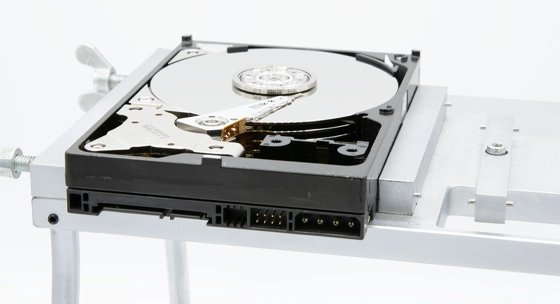
Our Hyper-V recovery process is tailored to meet the challenges unique to virtualized environments. From physical drive analysis to logical data recovery within virtual disks, our approach addresses the two key stages of Hyper-V recovery:
- Stage 1: Physical Drive Recovery We retrieve data directly from the physical server hardware, ensuring the foundation for your virtual machine data is intact.
- Stage 2: Virtual Disk and Hypervisor Recovery: Once physical recovery is complete, we meticulously reconstruct and repair corrupted files within your virtual disks to make your data accessible again.
Don’t let a Hyper-V failure disrupt your business continuity. Contact PITS Data Recovery today at 888.611.0737 or Request Help online to begin your recovery process and restore your virtualized environment swiftly.
Common Hyper-V Issues and Signs of Data Loss
Hyper-V systems are susceptible to a range of data loss issues, from physical server problems to virtual machine corruption. Identifying these signs early can help minimize data loss and system downtime. Here are the most common signs of data integrity issues in Hyper-V environments.
Unexpected VM Shutdowns or Restarts
Instabilities within the system can cause VMs to shut down or restart unexpectedly, often signaling underlying software or hardware issues.
VM Boot Failures
Inability to start a VM may point to data corruption or configuration errors
Degraded System Performance
Sluggish performance or latency can result from resource contention or failing hardware.
Error Messages During Migration
Problems during VM migration often indicate data consistency or network issues.
Frequent Host BSOD Errors
Blue Screen of Death (BSOD) errors can reflect severe system-level faults.
Data Corruption in VMs
File corruption within VMs may signal storage subsystem failures, requiring immediate attention.
If you observe any of these issues, it’s essential to act quickly. Contact PITS Data Recovery to prevent further data damage and initiate a secure recovery process. Early intervention significantly improves recovery outcomes.
Hyper-V Disaster Recovery Recommendations
A proactive approach to Hyper-V disaster recovery can prevent data loss escalation and reduce recovery time. To improve recovery success, avoid common mistakes when dealing with Hyper-V failures. PITS Data Recovery provides expert disaster recovery guidance for Hyper-V environments, ensuring critical data is handled correctly from the start.
When dealing with a Hyper-V system failure, follow these crucial steps:
- Power Off the System: Turning off your Hyper-V system immediately helps preserve data integrity.
- Avoid DIY Repair Attempts: Avoid running any software or attempting to repair the system on your own, as this can worsen data loss.
- Do Not Rebuild or Reinitialize Arrays: Attempting to rebuild RAID arrays or other storage configurations without proper expertise can cause permanent data loss.
Our team offers risk-free evaluations and provides shipping options to expedite your recovery process. When your Hyper-V system reaches our lab, we conduct a comprehensive analysis and provide a clear recovery quote tailored to your timeline and budget.

Protect your Hyper-V data by trusting experienced professionals. Contact us at 888.611.0737 or Request Help to secure a no-obligation consultation and initiate a safe, effective recovery process.