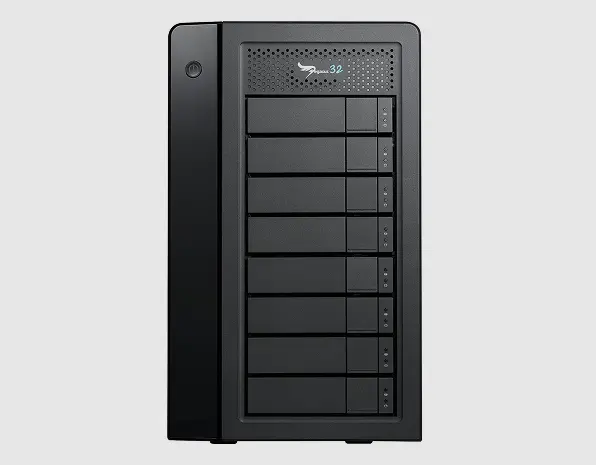
A full-suite video production company depended on a Promise Pegasus32 Series 4-bay hardware RAID enclosure populated with four 4TB Seagate drives to handle large, time-sensitive video files.
When the array began experiencing a drive failure event, the team faced an immediate risk to active projects, client deliverables, and ongoing production schedules.
This case study breaks down what failed, why RAID enclosures like Pegasus32 can become high-risk after a single drive issue, and how recovery is approached without compounding damage.
Device and RAID Setup Profile
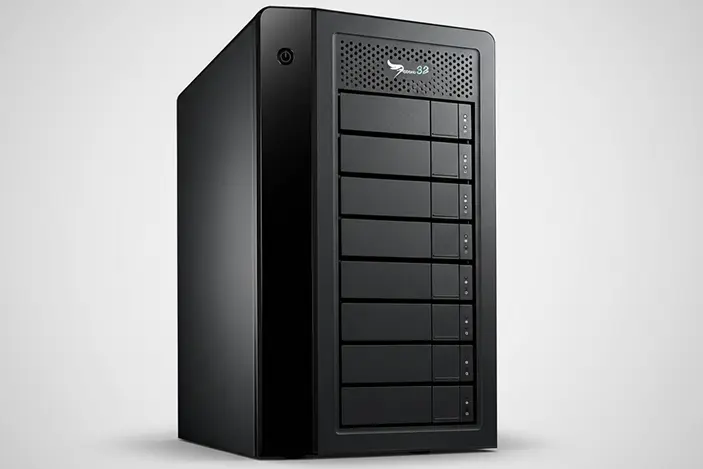
The Promise Pegasus32 Series is a hardware RAID enclosure commonly used in creative and post-production environments because it centralizes large media libraries and supports sustained throughput for editing workflows.
In this case, the enclosure was configured as a 4-bay array with four 4TB Seagate HDDs, used for storing and managing large video files. With systems like this, the enclosure, RAID metadata, and each individual drive condition all matter.
A failure in a single drive can quickly escalate into a broader array-level event if the unit is power-cycled repeatedly, forced to rebuild, or operated while a drive is mechanically unstable.
Learn more about Seagate hard drive recovery.
DIY Recovery
Risks permanent data loss
Let the Specialists Handle It
DIY attempts often result in permanent data loss. Our certified recovery specialists use advanced tools in controlled environments for the highest success rate.
24/7 Emergency Service
Failure Scenario and Business Impact
The client reported a drive failure within the Promise Pegasus32 enclosure and was no longer able to rely on the array for normal access to critical video files.
For a production team, this is not just a storage issue. It becomes an operational risk. Large video projects are typically spread across folders with active edits, exports, and shared assets.
When the RAID becomes unstable, every attempt to keep working can increase the odds of wider file system damage, degraded drives, and an unrecoverable rebuild event.
At this stage, the priority shifts from troubleshooting to containment. Minimize use, avoid rebuild prompts, and move into a controlled recovery workflow designed for RAID systems. You can explore RAID data recovery options.
Root Cause: Seagate 4TB Head Stuck Failure
After intake, each drive was examined individually to isolate the trigger event and determine whether the issue was logical, firmware-related, or mechanical.
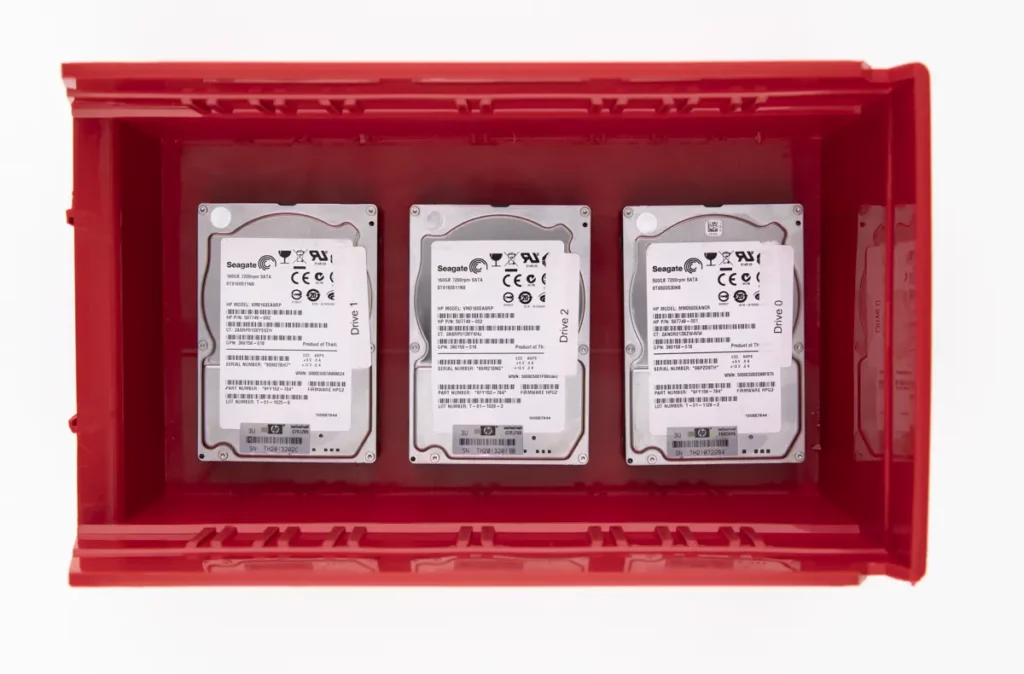
One of the 4TB Seagate HDDs showed a head-stuck condition, meaning the read-write head assembly could not move correctly across the platter surface. In practical terms, the drive could not operate normally and would be unable to read or write data reliably.
In a RAID enclosure, a single mechanically unstable drive can be enough to push the array into a degraded state, especially when the enclosure attempts background reads or initiates rebuild behavior.
When the failure is mechanical, traditional “try again” actions like repeated restarts or rebuild attempts are not neutral. They can convert a recoverable situation into a multi-drive event.
If you want a related example, read more in this Seagate hard drive data recovery case.
Your Data Security Is Our Priority
Data privacy isn’t optional. It’s our commitment. Our secure recovery process ensures your sensitive information stays protected from start to finish.
HIPAA Compliant
GDPR Compliant
Secure Facility
NDA Available
Trust in certified security. Start your recovery today! Call Now: 888.611.0737
Recovery Process: Clean Handling, Imaging, RAID Validation
We isolated the affected Seagate drive from the enclosure and moved into a controlled recovery workflow designed to protect RAID integrity and prevent further mechanical damage.
Step 1: Drive-by-drive evaluation
We validated the condition of all four drives to confirm the RAID set composition and identify the unstable member.
Step 2: Clean internal service
The head-stuck drive was opened and cleaned to remove contaminants that can interfere with stable operation.
Step 3: Head-stuck correction
Using specialized tooling, the head assembly was carefully realigned to restore limited operational movement for recovery purposes.
Step 4: Forensic imaging and cloning
Once stable enough to read, the drive was cloned to a healthy target drive to eliminate ongoing risk from the failing mechanism.
Step 5: RAID reintroduction and validation
The cloned drive was placed back into the Pegasus32 enclosure, then the array was tested to confirm stable detection and expected behavior.
Do not run rebuilds, initialization, or “repair” actions on a RAID enclosure when a drive is mechanically compromised. That activity can amplify damage and reduce recoverability.
Results and Verification Delivered to Client
After imaging was completed and the RAID enclosure was stabilized, we prepared the recovered dataset for client validation.
What the client received
- A secure method to remotely verify recovered video files before the devices were shipped back.
- File visibility organized to match the expected project structure so they could confirm key folders and assets quickly.
What was delivered operationally
- The Promise Pegasus32 enclosure was returned in a usable state, with the recovered drive replaced by a cloned substitute to restore stability for access and transfer.
Don't Let Data Loss Ruin Your Business
Minimize business disruption. We retrieve lost data fast, so you can focus on what matters.
Best Next Moves for a Degraded Pegasus32 RAID
- Stop using the enclosure. Continued activity increases risk fast.
- Do not run rebuild, initialize, or repair prompts. This can overwrite RAID metadata.
- Avoid power cycling. Repeated spin-ups can worsen mechanical damage.
- Document bay order and label drives by slot. Keep the sequence unchanged.
- Do not “test” drives in other docks or enclosures. Controller differences can complicate reconstruction.
- Escalate to controlled imaging and RAID recovery. Prioritize preservation over access.
Contact Us for Pegasus32 RAID Data Recovery
If your Promise Pegasus32 is degraded and a Seagate drive is failing, stop attempts to rebuild or “repair” the array. Those actions can overwrite RAID metadata and reduce recoverability.
Contact our team for Pegasus32 RAID recovery support. Share the enclosure model, drive count and capacity, the exact symptoms, and anything you already tried. We will respond with a clear evaluation path and the next operational steps to protect your data.
Get a Free Consultation.
Our recovery experts are ready to assess your device and guide you through the safest path to recovery. Fill out the form to get started.
"*" indicates required fields